Event Booking Guide
Learn how to discover, book, and attend events in Ghana with our simple step-by-step guide.
Finding and Booking Events
Locked makes it easy to discover events across Ghana and secure your spot with just a few clicks. Whether you're looking for concerts, conferences, cultural celebrations, or networking opportunities, our platform connects you with exciting experiences happening near you.
This guide will walk you through everything you need to know about finding events that match your interests, booking tickets, and managing your reservations on Locked.
Easy Discovery
Find events by category, location, date, or search for specific keywords.
Secure Booking
Book tickets quickly with our safe and hassle-free payment system.
Easy Management
Access and organize all your tickets in one place with digital ticket delivery.
How to Book Events
Find Your Event
Use our search and discovery features to find the perfect event for you.
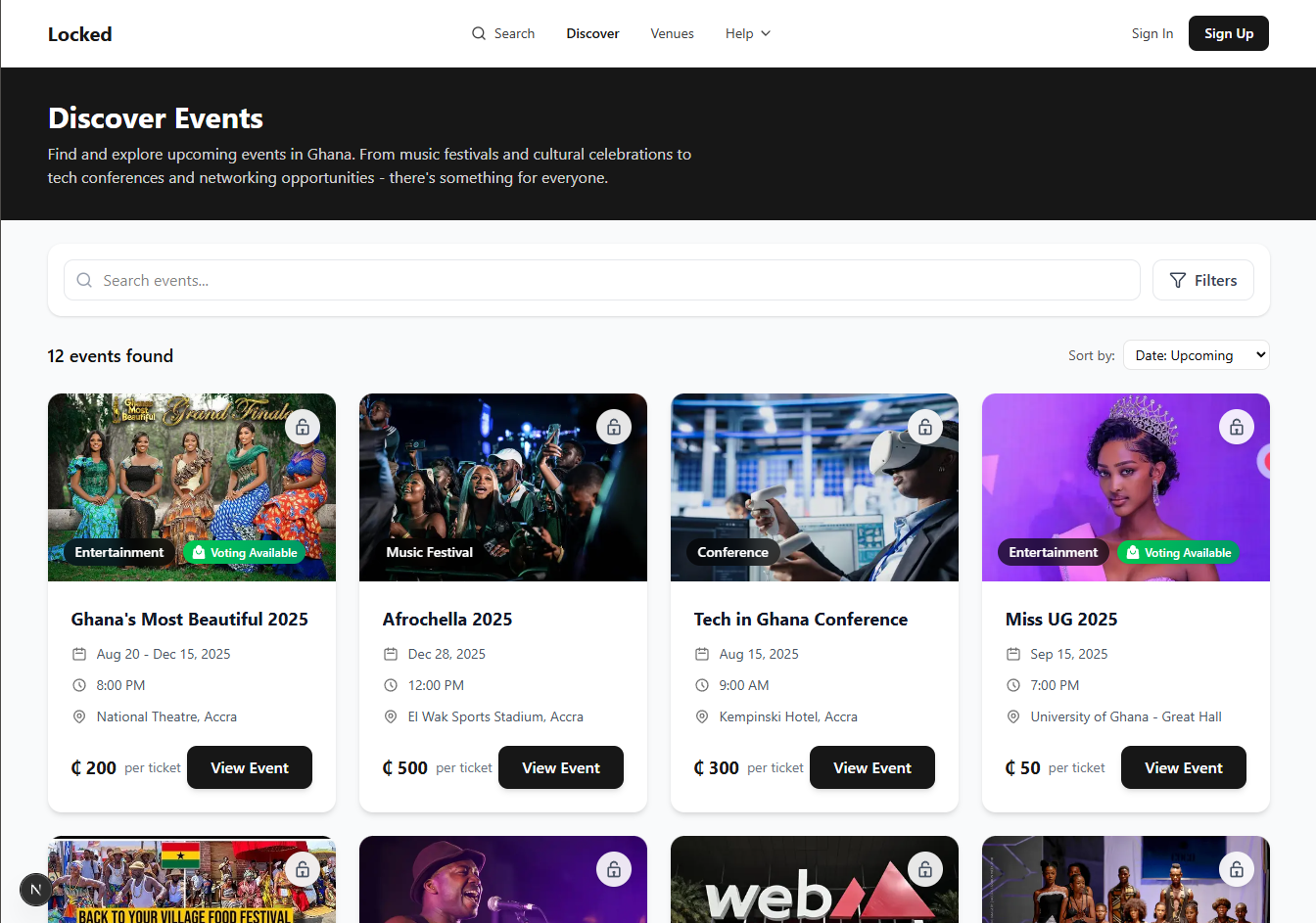
Browse by Category
Filter events by music, conferences, arts & culture, food & drink, sports, and more.
Search Features
Use the search bar to find events by name, venue, or organizer.
Pro Tip: Use filters to narrow results by date, price range, location, and more.
Review Event Details
Get all the information you need before making your booking.
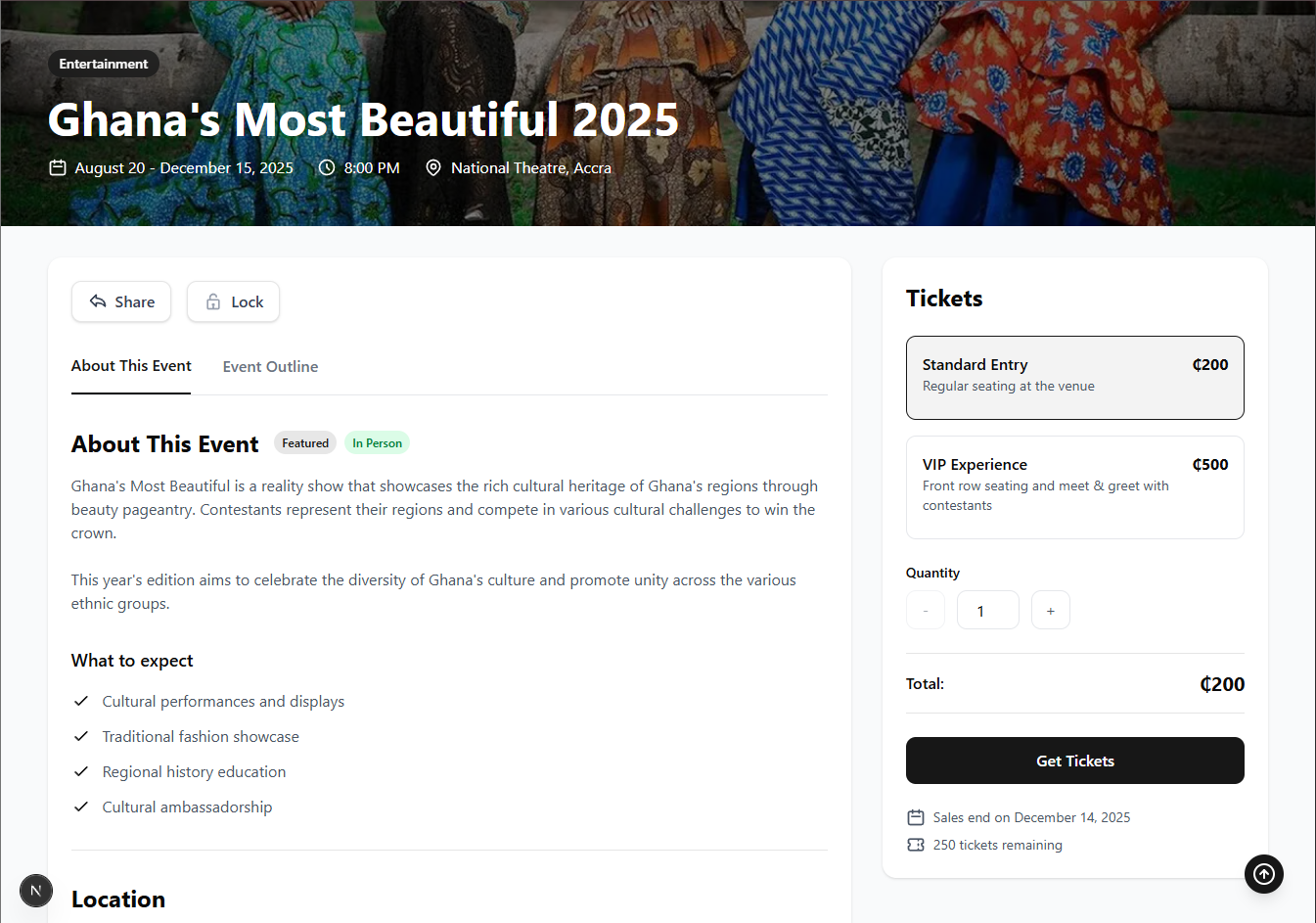
- Event Description: Learn what the event is about and what to expect.
- Date & Time: Check when the event is happening and plan accordingly.
- Location: See where the event is taking place with maps and directions.
- Organizer Info: Learn about who's hosting the event.
- Ticket Types & Pricing: Compare available ticket options and prices.
Select Ticket Type & Quantity
Choose the right ticket option that suits your needs and preferences.
Common Ticket Types
General Admission
Standard entry to the event
VIP
Premium experience with added benefits
Group Tickets
Discounted rates for multiple attendees
Early Bird Offers: Many events have limited-time discounted tickets available. Book early to save!
Complete Payment
Pay securely using your preferred payment method.
Mobile Money
Pay using your MTN, Telecel, or AirtelTigo mobile money account.
- Enter your mobile number
- Confirm the payment on your phone
- Receive your ticket confirmation
Credit/Debit Card
Pay using any Visa, Mastercard, or other supported card.
- Enter your card details securely
- Complete the payment process
- Receive your ticket confirmation
Secure Transactions: All payments are processed securely using industry-standard encryption.
Receive & Manage Your Tickets
Access your tickets anytime from your Locked account.
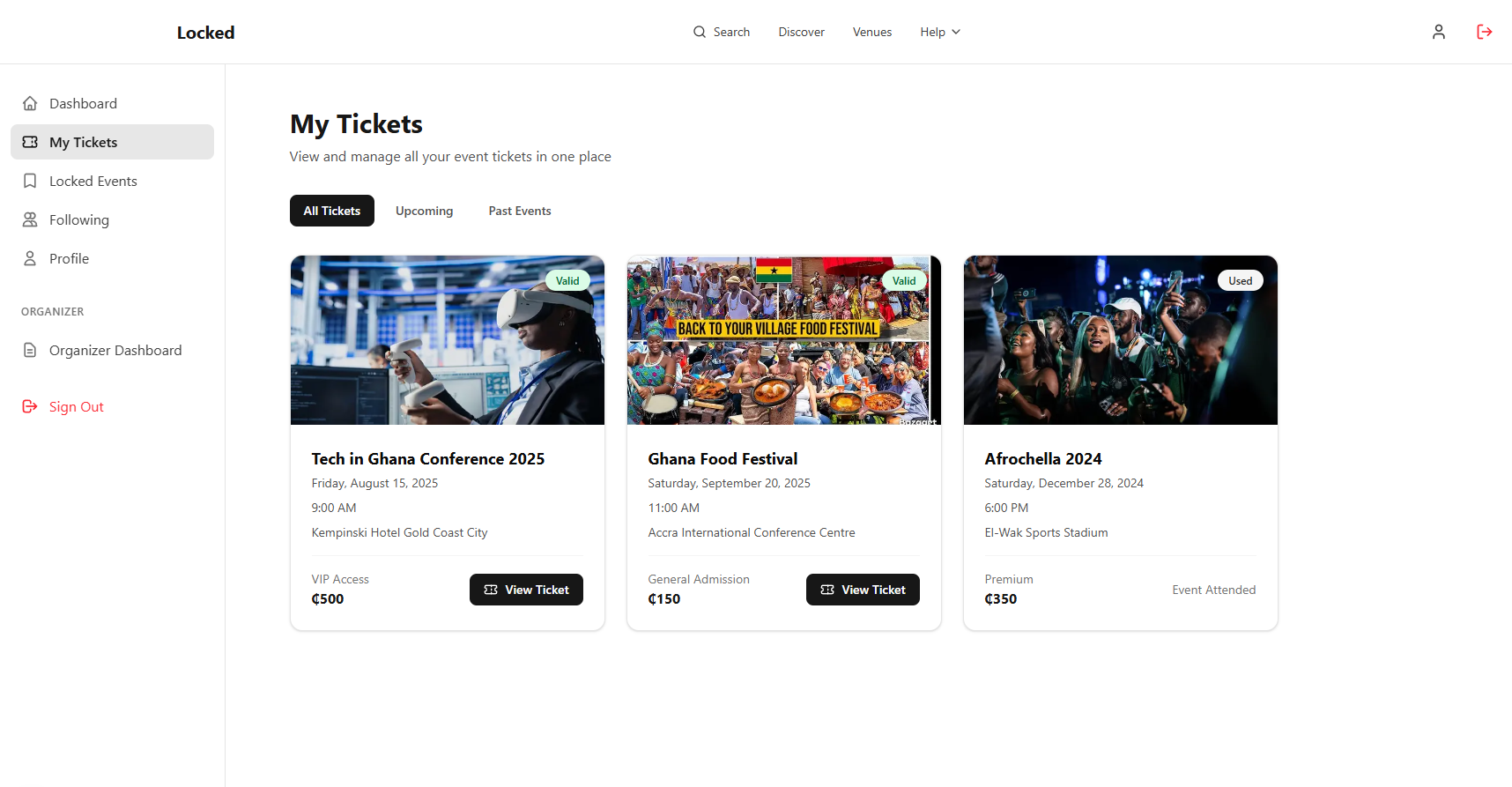
After successful payment, your tickets will be:
- Emailed to you as PDF attachments
- Available in your account under "My Tickets"
- Accessible offline once downloaded
Download Options
Save your tickets as PDFs or add them directly to your phone's wallet app.
Share Tickets
Easily transfer tickets to friends and family from your account.
Attend the Event
Make the most of your event experience with these tips.
Before the Event
- Check for any pre-event communications from the organizer
- Ensure your tickets are accessible on your phone
- Plan your route to the venue in advance
- Check the event page for any special instructions
On Event Day
- Arrive with enough time for entry procedures
- Have your digital or printed tickets ready
- Bring valid ID if the event requires age verification
- Check in at the registration desk or entry point
Managing Your Bookings
View Your Bookings
Access all your upcoming and past event bookings in one place.
- Log in to your Locked account
- Go to "My Tickets" in your dashboard
- View all upcoming and past events
- Access ticket details and barcodes
Refunds & Cancellations
Understand the refund policy and how to request cancellations when needed.
Refund policies vary by event. Generally:
- Check the specific event's refund policy on the event page
- To request a refund, go to "My Tickets" and select the event
- Click "Request Refund" and follow the instructions
Event Changes
Stay informed about any changes to your booked events.
- You'll receive email notifications if there are any changes to your booked events
- Check event details in your account for the most up-to-date information
- For significant changes, you'll usually be offered options (attend, refund, etc.)
Transferring Tickets
Send tickets to friends or family members when you can't attend.
- Go to "My Tickets" in your account
- Select the event you want to transfer
- Click on "Transfer Ticket"
- Enter the recipient's email address
- They'll receive an email to claim the ticket
Note: Some events may have restrictions on ticket transfers
Frequently Asked Questions
Need More Help?
If you have additional questions about booking or need assistance with your tickets, our support team is ready to help.